

How to Check if Your Phone Supports eSIM and Request a Refund
Device compatibility requirements
For a virtual SIM profile to function properly, your device must meet the following criteria:
Hardware eSIM module: The device must have a built-in eSIM chip with a unique EID identifier.
No regional hardware restrictions: Certain models manufactured for mainland China, Hong Kong, and Macao feature two physical SIM slots and lack an embedded eSIM chip.
Carrier unlocked (No SIM-lock): The device must not be locked to a specific telecom network under a carrier contract.
Method 1. Universal check via USSD code (iOS and Android)
Open the Phone app (dial keypad).
Dial:
*#06#.Review the device identification screen and look for the EID field (a 32-digit number accompanied by a barcode):
EID is displayed: Your device has built-in hardware support for eSIM technology.
Only IMEI 1, IMEI 2, MEID, or Serial Number (SN) are shown without an EID: The device only supports physical plastic SIM cards.
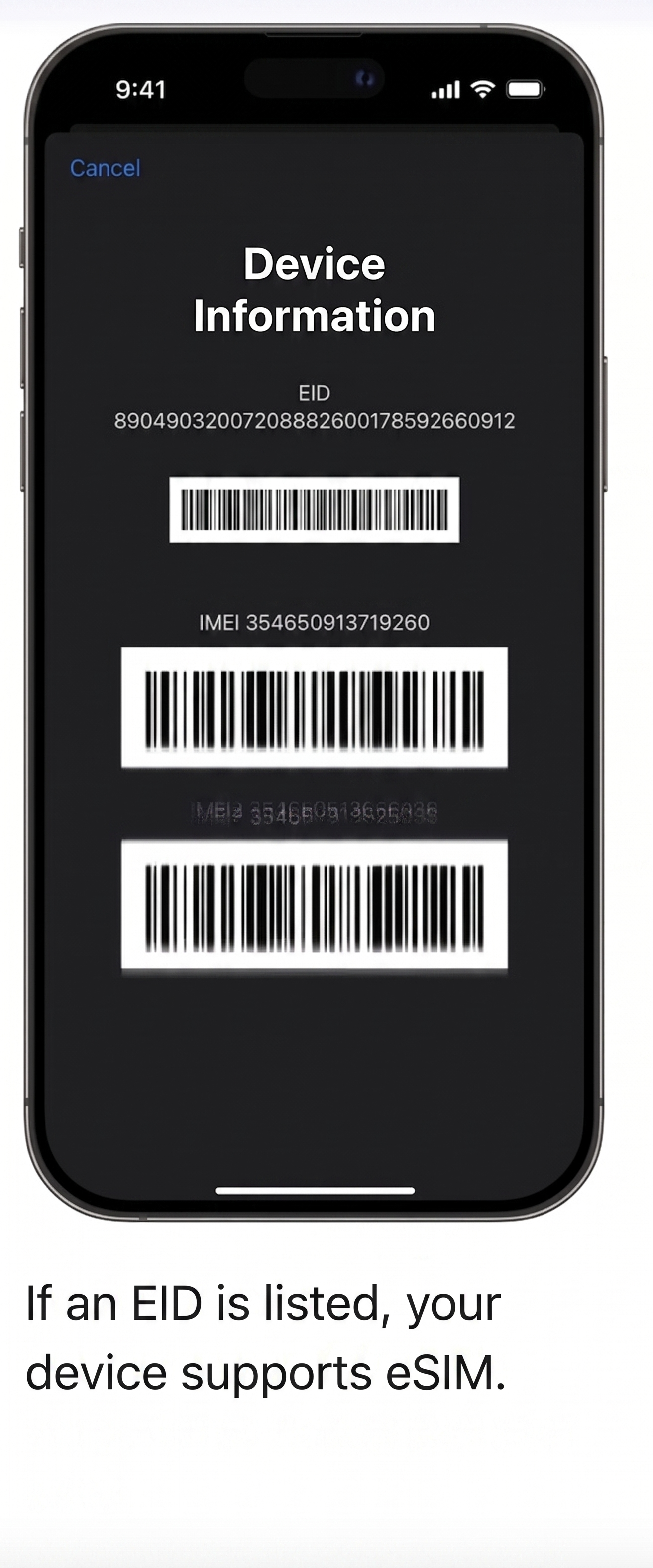
Method 2. Checking through device settings
On iOS (iPhone / iPad):
Go to Settings > Cellular (or Mobile Data). The presence of an Add eSIM (or “Add Cellular Plan” / “Set Up Cellular”) option confirms eSIM capability.
Carrier lock verification: Go to Settings > General > About > Carrier Lock. It must state "No SIM restrictions". If a specific carrier is listed, third-party eSIMs cannot be activated.
On Android (Samsung, Xiaomi, Google Pixel, etc.):
Go to Settings > Connections (or Network & internet / SIM cards & mobile networks) > SIM manager (or Manage eSIM).
The presence of the Add eSIM (Add mobile plan) option confirms hardware compatibility.
View the complete and up-to-date list of compatible devices at: https://unilink.global/en/compatibility
Alternative: Physical eSIM Adapter
If your phone does not have an integrated eSIM module, you can use a dedicated physical eSIM adapter from Unilink, which fits into a standard plastic SIM tray. Contact our support agent in the chat to check availability and order details.
Refund terms and conditions
If you accidentally purchased a data plan for an unsupported device and have not consumed any data:
Send us a message here in the in-app support chat.
Provide the last 4 digits of the payment card used for the purchase, or attach your receipt/payment confirmation.
The support agent will process a full refund request — funds are typically credited back to your payment card within 1–3 business days.